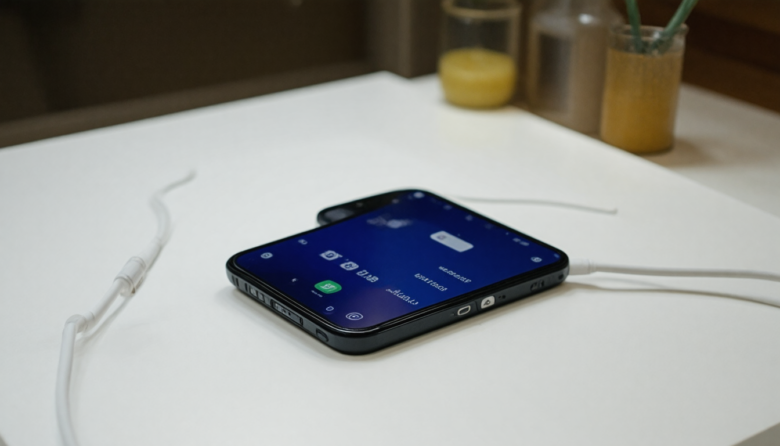
In 2026, smartphones have become an indispensable part of our daily lives, serving as our connection hub for work, entertainment, and social interaction. However, one persistent issue that many users encounter is their phone heating up while charging. This problem not only affects device performance but can also raise safety concerns. Imagine plugging in your phone for a quick charge before an important virtual meeting, only to find it uncomfortably hot to the touch. It’s a scenario that many can relate to, and it’s one that demands effective solutions.
The good news is that there are actionable steps you can take to mitigate this problem, ensuring your phone charges safely and efficiently. Whether you’re using the latest Android model or an iPhone, understanding why your device gets hot during charging and implementing preventive measures can make a significant difference. As technology continues to evolve, staying informed about the best practices for device maintenance is crucial.
In this article, we’ll delve into the reasons behind overheating during charging and provide a comprehensive guide to keeping your phone cool. We’ll also explore advanced strategies and long-term maintenance tips to ensure your phone remains in optimal condition. By the end of this guide, you’ll have the knowledge to protect your device from overheating, prolong its lifespan, and enhance your user experience.
Why Your Phone Gets Hot While Charging
Understanding the reasons behind this issue is the first step in addressing it effectively. Here are the primary causes:
- Fast Charging Technology: While convenient, fast charging increases the energy flow, which can raise the device’s temperature.
- Background App Activity: Apps running in the background can consume additional power, contributing to heat generation.
- Environmental Factors: Charging your phone in a hot environment can exacerbate overheating.
- Faulty Cables or Chargers: Using damaged or incompatible accessories can lead to inefficient energy transfer and increased heat.
- Hardware Issues: Internal battery or hardware malfunctions can also cause excessive heat during charging.
Step-by-Step Core Guide to Prevent Overheating
Use the Right Charger and Cable
Using the manufacturer’s recommended charger and cable can prevent overheating. These accessories are designed to handle the specific power requirements of your device.
Why it works: Proper chargers ensure efficient energy transfer, minimizing excess heat.
Enable Airplane Mode While Charging
Switching your phone to airplane mode reduces energy consumption by disabling wireless services.
Why it works: Less power is used, reducing the heat generated during charging.
Close Unnecessary Apps
Before plugging in, close all apps running in the background.
Why it works: Reducing multitasking decreases the processing power required, keeping temperatures lower.
Charge in a Cool Environment
Avoid charging your phone in direct sunlight or hot areas.
Why it works: Cooler ambient temperatures help dissipate heat more effectively.
Remove Phone Case
Taking off your phone case can enhance heat dissipation.
Why it works: Cases can trap heat, so removing them allows your phone to cool down more quickly.
Avoid Using Your Phone While Charging
Refrain from playing games or streaming videos during charging sessions.
Why it works: High power use can cause the device to heat up further.
Monitor Battery Health
Regularly check your phone’s battery health status in settings.
Why it works: Identifying early signs of battery degradation can prevent overheating issues.
Update Software Regularly
Ensure your device’s operating system and apps are up to date.
Why it works: Updates often include performance optimizations that can mitigate overheating.
Use Battery Optimization Apps
Consider using apps designed to optimize battery usage and monitor temperature.
Why it works: These apps provide insights and suggestions to improve charging efficiency.
Pro Tip: Invest in Wireless Chargers
Wireless chargers can offer a steady and controlled power delivery, reducing heating risks.
Why it works: They often incorporate features to prevent overheating, such as automatic power adjustment.
Advanced Optimization / Expert Tips
- Use Smart Plugs: Schedule charging during cooler times of the day using smart plugs.
- Battery Savers: Utilize built-in battery saver modes to limit background processes.
- Custom Charging Profiles: Some phones allow you to customize charging speed settings to suit your usage patterns.
Long-Term Maintenance / Best Practices
- Regularly clean charging ports to prevent dust buildup.
- Replace old batteries to maintain optimal charging efficiency.
- Avoid using third-party apps with excessive permissions.
- Perform periodic device reboots to clear temporary files.
- Consider professional servicing if overheating persists.
Frequently Asked Questions
Why does my phone get hot even when I’m not using it?
Background apps or faulty hardware may be causing your phone to overheat. It’s essential to monitor app activity and check for hardware issues.
Is it safe to use my phone while it’s charging?
While it’s generally safe, using power-intensive apps can increase heat. It’s best to avoid this to prevent overheating.
Can fast charging damage my phone battery?
Modern phones are equipped to handle fast charging; however, consistent exposure to high temperatures can degrade battery life over time.
How can I tell if my charger is faulty?
Look for signs like slow charging, excessive heat, or a loose connection. If these occur, consider replacing your charger.
What are the signs of battery degradation?
Reduced battery life, longer charging times, and overheating are common indicators.
Conclusion
Keeping your phone cool while charging is crucial not only for safety but also for maintaining device performance and longevity. By following the steps outlined in this guide, you can minimize overheating risks and ensure your phone charges efficiently. Regular maintenance and staying informed about the latest technology will help you adapt to changes and protect your investment in the long run. Embrace these practices, and enjoy a seamless, worry-free charging experience.