In 2026, QR codes are ubiquitous, enabling seamless access to digital content, from restaurant menus to payment gateways. However, as their use has grown, so too has the threat of QR phishing scams. These scams exploit the convenience of QR codes to deceive users into revealing sensitive information or downloading malicious software. Imagine scanning a QR code at your favorite café, only to have your personal data compromised. The risk is real, but with the right knowledge, you can protect yourself.
The good news is that spotting fake QR codes and avoiding QR phishing scams is entirely possible with a few practical, step-by-step strategies. This guide will empower you with actionable solutions to safeguard your digital interactions. Whether you’re a tech-savvy individual or someone who prefers simplicity, these tips are designed to ensure that you can navigate the QR code landscape safely in 2026 and beyond.
By understanding the common pitfalls and employing smart scanning habits, you’ll not only enhance your digital security but also maintain peace of mind in a rapidly evolving technological world. Let’s delve into why QR phishing is a significant concern and explore the steps you can take to protect yourself effectively.
Why This Problem Happens / Why This Topic Matters
- Increased QR Code Usage: The reliance on QR codes for payments, information sharing, and authentication has surged, making them a prime target for scammers.
- Technological Sophistication: Scammers in 2026 are using advanced techniques to create realistic-looking fake QR codes that can easily deceive users.
- Lack of Awareness: Many people are unaware of the risks associated with blindly scanning QR codes, leading to potential security breaches.
- Inadequate Security Measures: Pre-installed phone scanners and default security settings may not be equipped to identify malicious QR codes.
- Why It Works: Understanding these root causes can help users recognize vulnerabilities and adopt preventive measures to protect themselves from scams.
Step-by-Step Core Guide / Main Solutions
1. Use a Reliable QR Code Scanner App
Downloading a reputable QR code scanner app that offers security features, such as detecting malicious links, is crucial. Apps like Norton QR Scanner and Kaspersky QR Scanner are designed to alert users to potential threats.
Why it works: These apps are regularly updated to recognize the latest phishing techniques, providing an additional layer of security beyond your default phone scanner.
Pro Tip: Always keep your scanner app updated to ensure it can identify new threats.
2. Verify the Source
Before scanning a QR code, consider its source. Is it from a trusted business or an unknown flyer on a street corner? Always question the legitimacy of the QR code’s origin.
Why it works: Scammers often rely on the assumption that users won’t question where a QR code comes from, making vigilance your first line of defense.
3. Check the URL Before Clicking
Most QR scanner apps display the URL before you proceed. Always check this URL for suspicious elements, such as misspellings or unfamiliar domains.
Why it works: Cybercriminals often use lookalike URLs to trick users into thinking they are accessing legitimate sites.
Pro Tip: Bookmark trusted websites to compare URLs quickly.
4. Enable Two-Factor Authentication
For services that involve QR codes, such as digital wallets, enabling two-factor authentication (2FA) adds an extra layer of security.
Why it works: Even if a scammer gains access to your credentials, 2FA requires a second verification step, thwarting unauthorized access.
5. Use Built-in Security Features
Modern smartphones in 2026 come with enhanced security features. Utilize settings like app permissions and security notifications to monitor QR code interactions.
Why it works: Built-in security tools are optimized for your device, offering seamless protection without additional apps.
6. Educate Yourself and Others
Stay informed about the latest phishing trends and share this knowledge with friends and family. Awareness is a powerful tool against cyber threats.
Why it works: Collective awareness reduces the overall success rate of phishing scams, as informed individuals are less likely to fall victim.
Pro Tip: Subscribe to cybersecurity news outlets to keep up with emerging threats.
7. Look for Physical Signs of Tampering
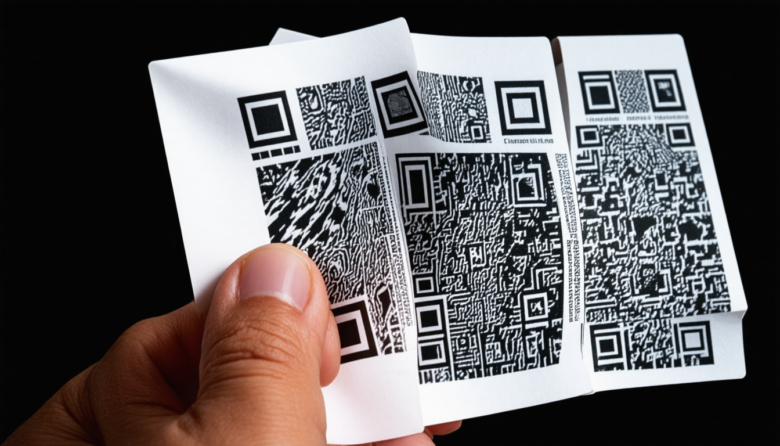
In physical locations, check if the QR code looks tampered with or if there are multiple codes layered over one another. Suspicious alterations often indicate fraudulent activity.
Why it works: Physical tampering is a common method scammers use to replace legitimate QR codes with fake ones.
8. Avoid Scanning Publicly Available QR Codes
Be cautious with QR codes found in public places or on social media, as these are common targets for scammers to distribute malicious codes.
Why it works: Publicly available codes are less secure since anyone can replace or tamper with them without detection.
Pro Tip: If a QR code is unavoidable, cross-verify it with the source organization before scanning.
Advanced Optimization / Expert Tips
- Regular Security Audits: Conduct regular security audits on your devices to ensure they are free from malware that could affect QR code scanning.
- VPN Usage: Consider using a VPN when scanning QR codes for additional online privacy and protection against phishing attempts.
- Custom QR Code Generators: If you create QR codes for business or personal use, employ custom generators with built-in security features to prevent unauthorized access.
- Educate Employees and Customers: If you run a business, train your employees and educate your customers about QR code safety to prevent scams targeting your brand.
Long-Term Maintenance / Best Practices
- Regularly update all apps and operating systems to patch security vulnerabilities.
- Periodically review app permissions to limit unnecessary access.
- Maintain awareness of new phishing techniques through trusted cybersecurity sources.
- Routinely back up important data to secure locations in case of a breach.
- Adopt a mindset of cautious curiosity when engaging with any unfamiliar digital content.
Frequently Asked Questions
What are the signs of a fake QR code?
Fake QR codes often lead to suspicious URLs, request unnecessary permissions, or appear tampered with in physical settings.
Can a QR code hack my phone?
While QR codes cannot directly hack your phone, they can lead you to malicious websites that may attempt to steal personal information or install malware.
Is it safe to scan QR codes at restaurants?
Generally, yes, but always verify the source and check for signs of tampering. Using a secure scanner app adds extra protection.
How can I verify a QR code’s legitimacy?
Use a trusted QR code scanner app, check the URL for authenticity, and ensure the code comes from a reputable source.
What should I do if I suspect I’ve scanned a fake QR code?
Immediately disconnect your device from the internet, run a security scan with a trusted antivirus app, and monitor your accounts for suspicious activity.
Conclusion
QR codes are an integral part of modern technology, but they come with risks that require vigilance and informed action. By implementing these strategies, you can confidently navigate the realm of QR codes while safeguarding your personal and financial information. Stay proactive, educate yourself and others, and embrace the digital world with the assurance that you are protected against the evolving threats of QR phishing scams. Regular maintenance and awareness are key to ensuring your ongoing security and peace of mind.